Flink集群高可用
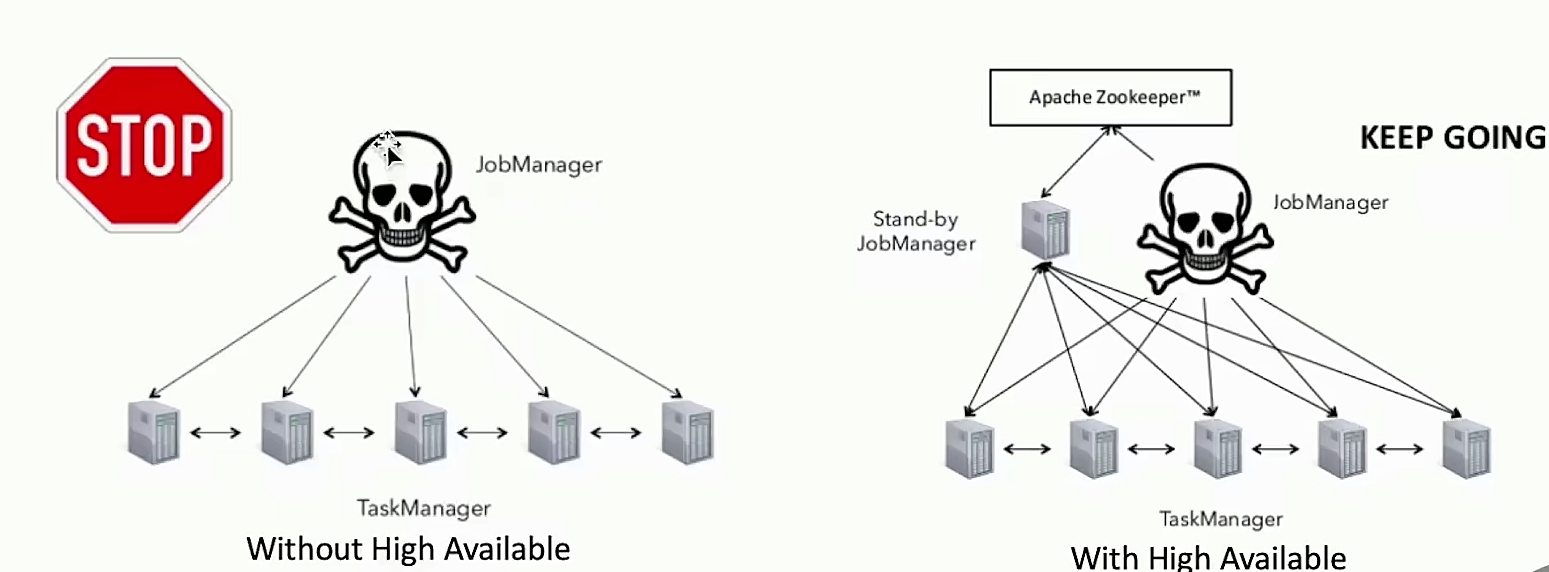
- 生产环境必须考虑,HA能够快速恢复集群服务
Flink集群高可用 - JOb持久化
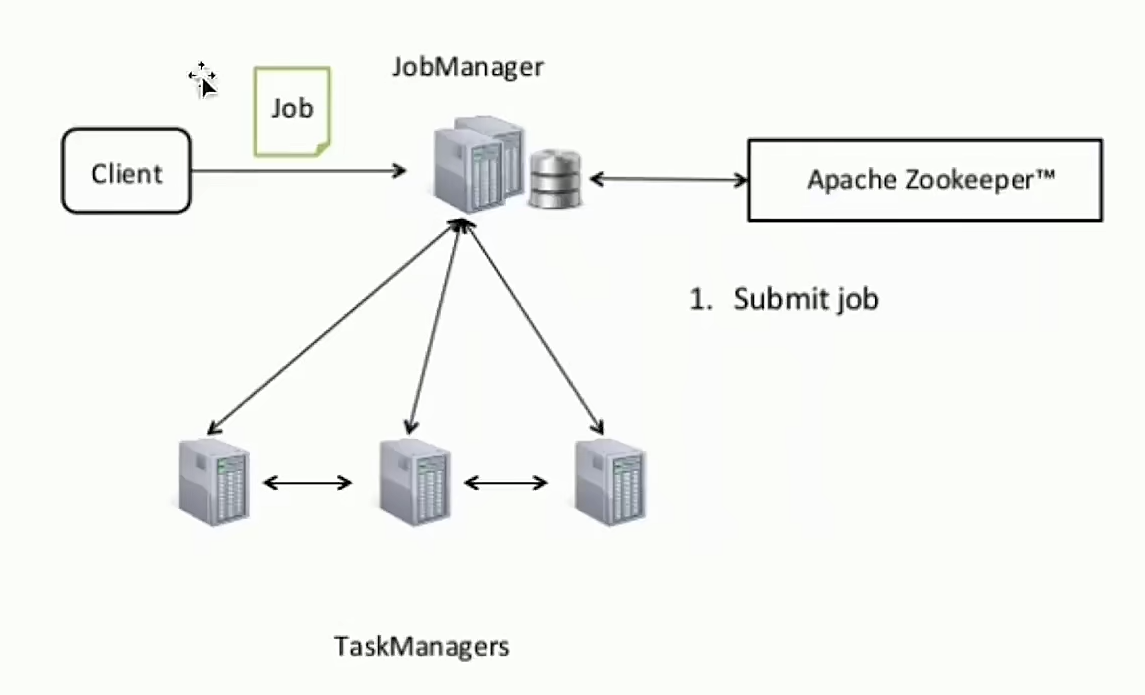
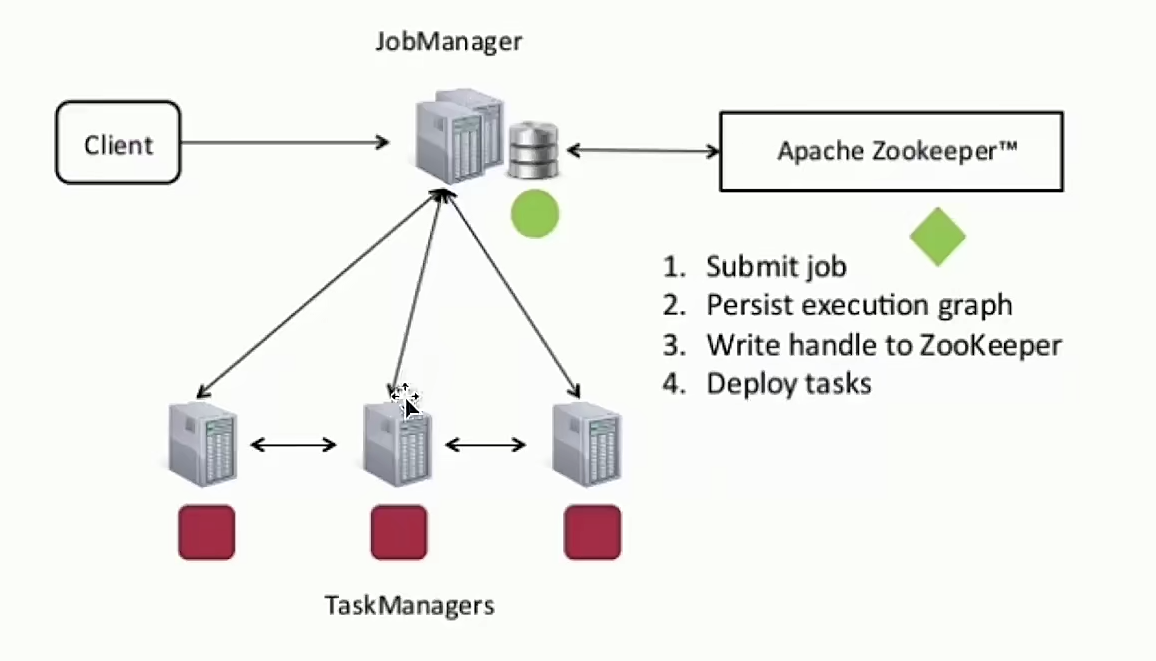
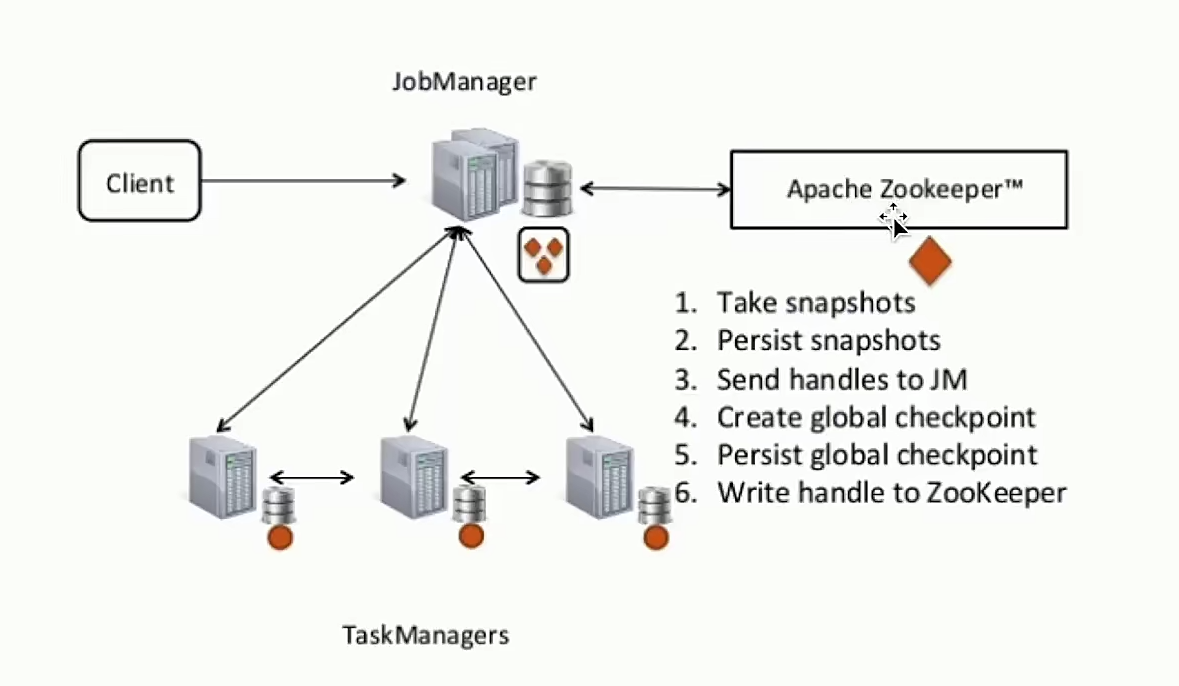
Flink集群高可用 - Handling Checkpoints
Flink On Standalone 高可用配置
- 修改conf/flink-confyaml:
high-availability: zookeeper high-availability.zookeeper.quorum: localhost:2181 high-availability.zookeeper.path.root: /flink # zookeeper root地址,指定 Flink 集群根目录 high-availability.cluster-id: /clusterione#important:customize per cluster # cluster-id 区分不同集群的唯一标志 high-availability.storageDir: hdfs:///flink/recovery # checkpoint 相应的一些元数据信息,需要存储到分布式持久化路径里面。在recovery过程中会使用路径,完成数据及作业的恢复 - 配置conf/masters:
localhost: 8081 # jobManager如果是两台主备,需要在master中配置两台节点&端口信息 localhost: 8082 - 配置conf/zoo.cfg(可选):
server0=localhost: 2888:3888 # 使用flink自带的zookeeper服务时,需要配置 - 启动 HA集群 ```shell $bin/start-cluster.sh
Starting HA cluster with 2 masters and 1 peers in ZooKeeper quorum. Starting standalonesession daemon on host localhost. Starting standalonesession daemon on host localhost. Starting taskexecutor daemon on host localhost.
## Flink On Yarn 高可用配置
- 修改yarn-site.xml配置,设定最大Application Master 启动次数:
```properties
<property>
<name>yarn.resourcemanager.ammax-attempts</name>
<value>4</value>
<description> The maximum number of application master execution attempts.
</property>
- 修改配置文件conf/flink-confyaml:
high-availability: zookeeper high-availability.zookeeper.quorum: localhost:2181 high-availability.storageDir: hdfs:///flink/recovery high-availability.zookeeperpath.root: /flink yarn.application-attempts: 10 # 重启次数,需要小于 yarn-site.xml配置的次数 - Start an HA-cluster:
$bin/yarn-session.sh-n 2